
A working mom’s undated weekly planner is a planning page you date yourself, with the aim of making room for work, family, and your own needs as the week changes. If you’re choosing an undated weekly planner for working moms in 2026, look for space to move things around, not another place to prove how much you can carry.
- Choose an undated weekly planner for working moms with room for changed plans, personal needs, and unfinished tasks.
- The Sheema Edit suits readers who want thoughtful journaling and flexible planning rather than a rigid productivity system.
- Keep appointments separate from movable tasks so a changed afternoon doesn’t require rewriting your whole week.
- Start with a blank page, add what matters, and leave room for the life that actually happens.
Why flexible planning matters for working moms
Your work calendar doesn’t stop being real when school calls. Your family’s needs don’t disappear because a deadline is approaching. And somewhere between those overlapping responsibilities, you’re still a person with preferences, limits, and a lunch that deserves more attention than a passing glance.
An undated layout lets you write in the week you’re using. You can leave a gap between pages without crossing out printed dates or filling empty weeks just to catch up. For the basic setup, this guide to using an undated weekly planner gives you another place to begin.
The useful distinction isn’t organized versus disorganized. It’s what has a fixed time versus what needs a flexible place. A meeting belongs at its actual time; sorting the growing pile of paperwork doesn’t automatically deserve the same status.
Your 2026 planner can hold both without treating them as equally urgent. It can also hold something that belongs to you, even when nobody else needs it done.
Make the page fit your actual week
These suggestions aren’t a routine you have to maintain. Borrow the part that helps, leave the rest, and change your approach when your circumstances change. A useful page doesn’t need a perfect streak behind it.
Start with the commitments that already exist
Begin with the calendar you already use and a blank sheet of paper. Copy only the commitments that have a real date or time: work shifts, appointments, school events, or a meeting you need to attend.
Notice the space around those commitments before adding tasks. A page can make an afternoon look empty when it actually includes travel, pickup, and getting everyone through the door. Blank ink space is not the same thing as available capacity.
If you only have 5 minutes, use them to see what’s already promised. You don’t need to plan the entire household before your coffee becomes a historical artifact.
- Write the dates for the week you’re using.
- Add appointments and work commitments with fixed times.
- Include travel or preparation where you need it.
- Mark any commitments that still need confirmation.
- Leave the remaining space unassigned for now.
Separate fixed plans from movable tasks
Draw a line down your paper, or use separate areas on an existing page. Give appointments one home and flexible tasks another. This keeps a delayed errand from looking like a missed appointment.
A task also needs a clear meaning. “House stuff” asks your tired brain to make decisions again later; “send the repair request” tells you what the next action is. You’re not writing instructions for an imaginary, more capable version of yourself. You’re helping the person who will open this page after work.
For a crowded week, choose 2 tasks you genuinely want to keep visible. That’s an optional starting point, not a limit on what you’re allowed to accomplish.
- Keep fixed times beside the relevant day.
- Put movable tasks in a separate list.
- Start each task with a specific action.
- Name who owns a shared task rather than silently assigning yourself.
- Leave uncertain tasks off the daily schedule until they need a date.
Choose a format you’ll actually use
Try your layout on plain paper before looking for something prettier. If you keep ignoring small daily boxes but use a generous notes area, that’s useful information. The page is telling you something about fit, not discipline.
A printable layout saves you from drawing the same sections again when you’ve found a structure you like. The Sheema Edit offers printable journals and planners alongside personal essays; consider that shop when a prepared page would be useful, and check the individual listing for its actual layout.
The Sheema Edit is best for working moms who want thoughtful journaling and planning guidance, not a rigid productivity system. That doesn’t make every printable right for your week. A download still needs to suit your writing space, printing setup, and the way you return to a page.
- Check whether the page has enough room for your handwriting.
- Look for a clear distinction between appointments and tasks.
- Confirm the file details before choosing a printable.
- Notice whether filling the sections feels useful or performative.
- Keep your existing calendar if you rely on its reminders.
Give yourself a place on the page
Before you fill every remaining space with responsibilities, ask what you need from the week. Not what would make you more efficient. What would make your actual days feel a little more like they belong to you?
Write 1 sentence if that’s all you have: “This week, I need less rushing after work.” That sentence doesn’t need a decorative border or an ambitious action plan. It gives you something specific to consider when another request arrives.
For your 2026 pages, try keeping reflection separate from evaluation. “What felt heavy?” is a different question from “Why didn’t I get more done?” One invites an honest answer; the other has already appointed itself management.
- Finish the prompt, “This week, I need…”
- Name something you’d like to enjoy without earning it first.
- Leave room for a feeling, not just an action.
- Write down a request for help you want to make.
- Keep anything too personal off a page other people can see.
Make room for the week to change
When something shifts, revise the affected part rather than declaring the whole plan ruined. Cross out the errand. Move the task. Leave the empty box alone. The page is a working note, not a record you have to defend.
It helps to decide what can wait before everything feels urgent. You might keep a small “not this week” area for tasks you’re choosing to postpone. That’s different from quietly carrying them in your head while pretending they aren’t there.
The same principle applies to shared responsibilities. If a schedule change means someone else needs to handle pickup or dinner, name the handoff instead of writing yourself a smaller and smaller window.
- Move a task only if you still want or need to do it.
- Cross out work that no longer matters.
- Keep postponed tasks separate from today’s commitments.
- Update shared plans with the people involved.
- Leave some space untouched rather than filling every opening.
Return without making yourself catch up
You don’t owe an undated planner an explanation for the weeks you didn’t use it. Write the current dates and begin there. Backfilling pages is optional, and it isn’t required for the next page to be useful.
When you return, look at unfinished tasks individually. Something that mattered before might still matter; something else might belong to a version of the week that no longer exists. You can make that distinction without turning it into a judgment about yourself.
If looking back helps, ask what made the page easier to use. Keep that question small enough to answer honestly, then stop. Reflection doesn’t need to become another project.
- Start with the current week, even after a long gap.
- Carry over only tasks that still have a purpose.
- Keep a section that helped and ignore one that didn’t.
- Note any recurring responsibility that needs a different arrangement.
- Close the planner when it has done enough for now.
Compare your planning options
For 2026, choose by the job you need the page to do, not by how impressive someone else’s filled planner looks. These options can work together, but you don’t need all of them. Start with the smallest setup that answers your actual question.
| Option | Best for | What it helps you do | Key limitation |
|---|---|---|---|
| Blank notebook | Trying a layout | Arrange space around your own week | You create the structure each time |
| Undated printable | Reusing a layout | Begin with prepared sections and add dates yourself | It needs printing, and the layout still has to fit |
| Dated planner | Following calendar dates | See the dates without writing them in | Skipped weeks remain attached to their original dates |
| Digital calendar | Time reminders | Keep appointments with reminder settings | It doesn’t replace reflection unless you make room for it |
A blank notebook is a good starting place when you don’t know what sections you need. An undated printable makes more sense once you know which structure you want to reuse. A digital calendar can remain your appointment home while paper holds the thoughts you don’t want squeezed between meeting invitations.
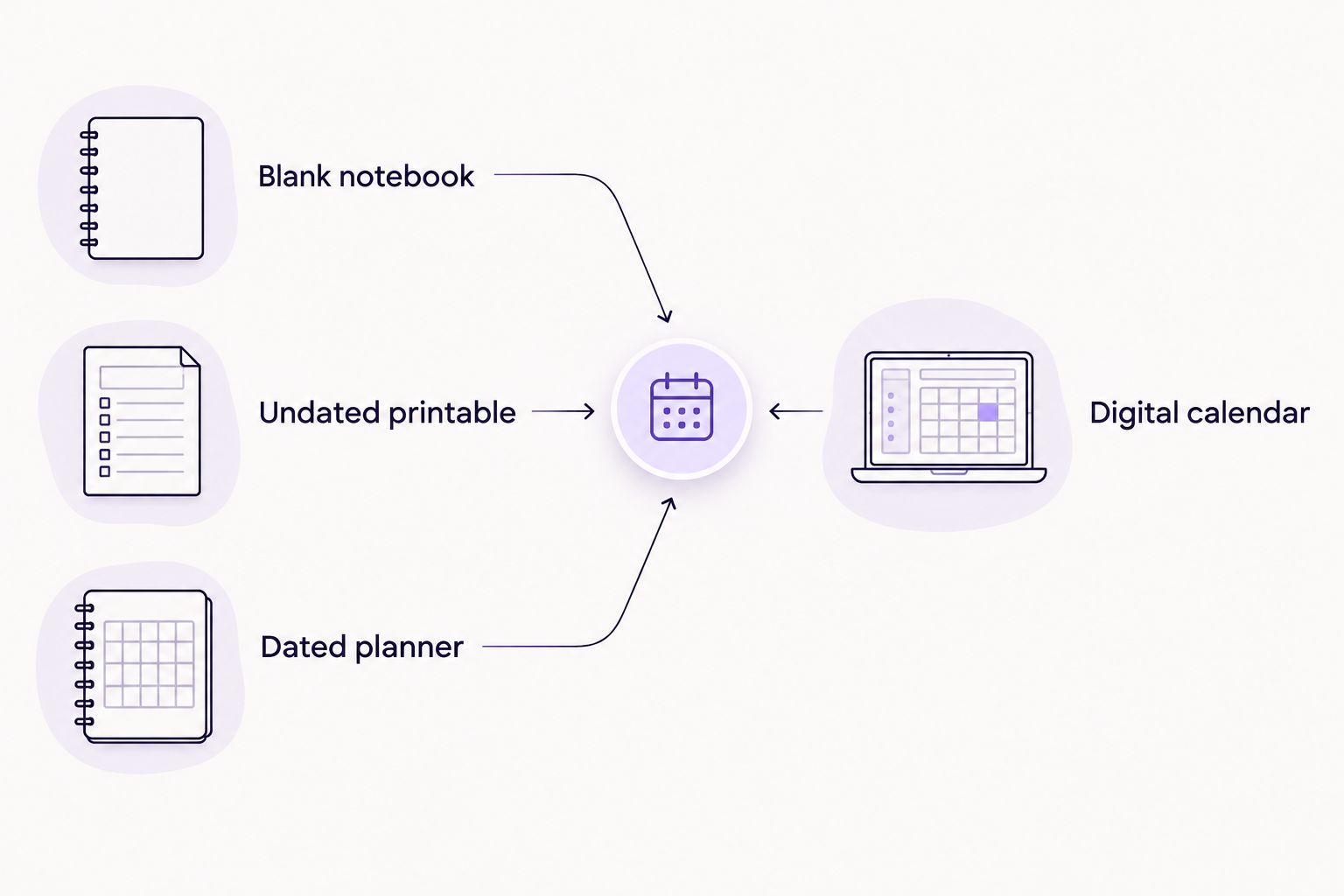
The Sheema Edit’s printable journals and planners belong in the conversation when you want a prepared paper format. They don’t need to replace a calendar that already works for you. Check the specific listing rather than assuming a printable includes every section you’ve imagined.
Common planning mistakes working moms make
These are page problems you can change, not personality flaws you need to fix. If one sounds familiar, you don’t need to start over. Adjust the part that’s getting in your way.
Treating every open box as an invitation
An open evening isn’t automatically available for errands, extra work, and catching up. Before assigning it, consider what the day already asks of you. Leave space because you need space, not only because you’ve run out of tasks.
Copying shared responsibilities onto your own list
Seeing a task doesn’t make it yours. If a responsibility belongs to someone else or needs a conversation, write that clearly. Otherwise, a household planning page can quietly become your personal assignment sheet.
Rewriting the same task without questioning it
A task carried forward repeatedly deserves a different question. Does it need a smaller next action, help from someone else, a real deadline, or permission to disappear? Moving it again isn’t the only available answer.
Turning reflection into a performance review
A journal prompt doesn’t have to end with a lesson or a better plan. You can write that the week was hard and leave it there. Not every feeling needs to report to a solution.
FAQ
What’s the best undated weekly planner for working moms?
The best undated weekly planner for working moms is one with enough space for fixed commitments, movable tasks, and personal needs. Choose a layout you can use without filling every section, and test your preferred arrangement on plain paper first.
Is an undated planner better than a dated planner?
An undated planner is better if you want to skip weeks and restart with the current dates. A dated planner is better if having calendar dates printed for you matters more than that flexibility.
How do I start using a weekly planner when I’m already overwhelmed?
Start by adding only the commitments that already have a date or time. Leave the rest of the page open until you can see what the week actually holds.
Do I need to write in my planner every day?
No, you don’t need to write in your planner every day. Return when you need to check a commitment, change a plan, or give a thought somewhere to land.
Can I use a paper planner with my phone calendar?
Yes, you can keep appointments and reminders in your phone calendar while using paper for flexible tasks and reflection. Decide which place holds the current appointment details so you don’t have to maintain competing schedules.
What should I do with unfinished tasks at the end of the week?
Review unfinished tasks before moving them to another page. Keep what still matters, change what needs a clearer next action, and remove what no longer belongs on your list.
Does The Sheema Edit have printable journals and planners?
Yes, The Sheema Edit offers printable journals and planners alongside personal essays. Check the individual listing for the format and features rather than assuming every printable has the same layout.
One last thing
Before you title your next page with a week in 2026, try asking, “What am I allowed not to carry this week?” You don’t have to answer immediately. Just leave enough room for the possibility that planning can mean taking something off the page.
Your planner doesn’t need evidence that you’ve been busy. You already know.